
What you will build
You will create a database, build a Spring application, and connect it
to the newly created database.
What you will need
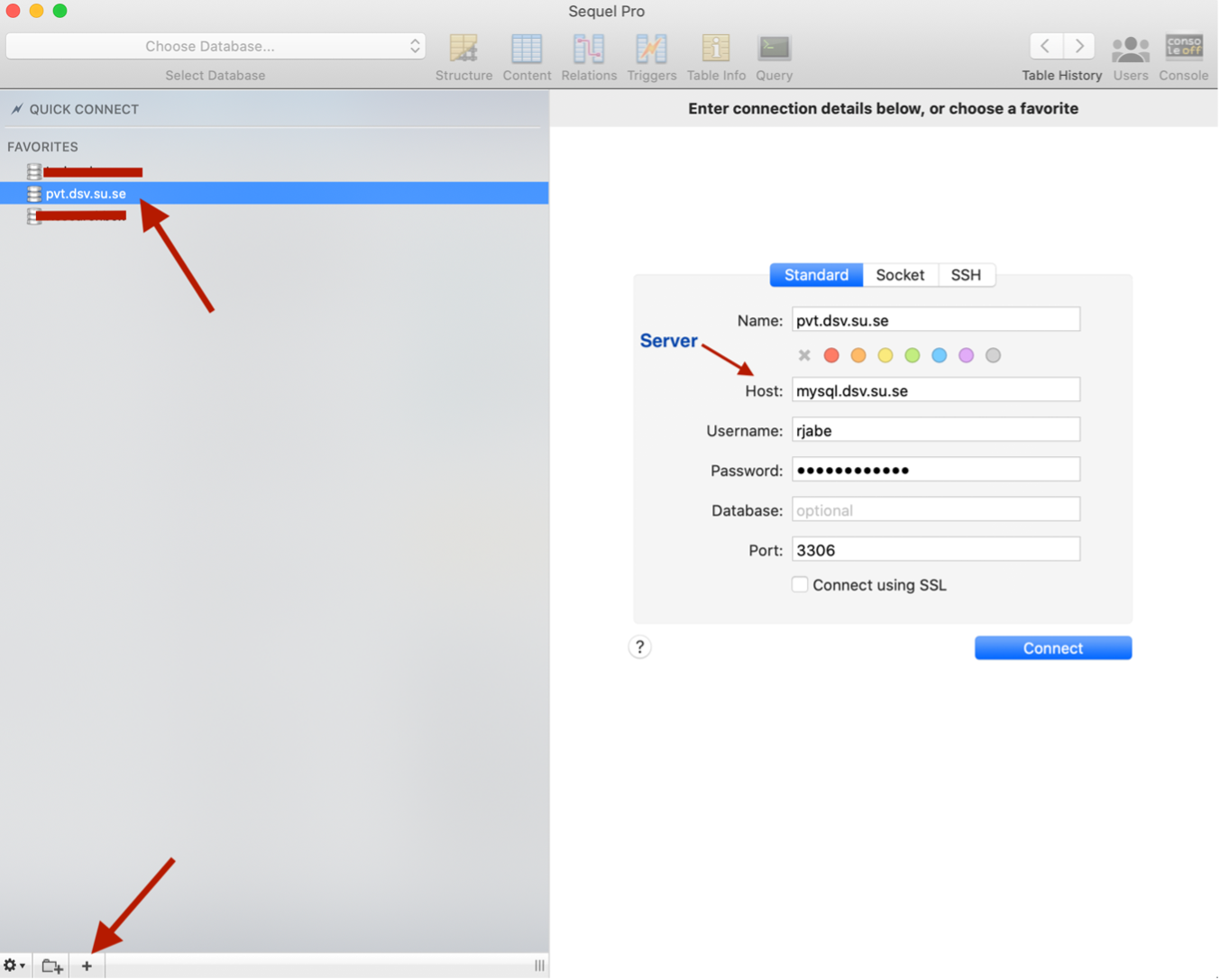
The database is provided on the devtools website, and we are going to
use Spring Tool suite but you can use another IDE such as IntelliJ.
A note on MySQL/MariaDB
We will be using MariaDB, which is an almost identical fork of MySQL.
The interested can find details about the relationship between the two
on Wikipedia, but
the short version is that they are mostly interchangeable.
We will be using the names interchangably, except in cases where there
is a difference that matters, in which case it will be clearly stated
that the difference is important. Similarly, most MySQL resources on the
web will apply equally to MariaDB and vice versa.
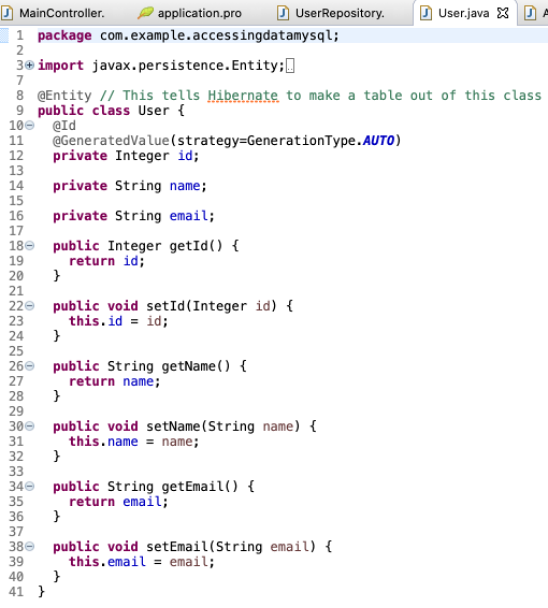
A nice thing that we can do with spring boot JPA and MySQL are that we can start with an empty database (by that I mean there are no tables inside of it) and then we can use some annotations to transfer our data transfer object (DTO) and we can have spring boot automatically map the Data transfer object to the database.
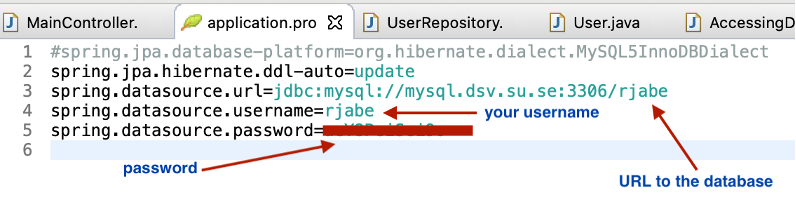
After you have created the database, then you need to setup a little bit of configuration information in your application properties file in spring boot application. All you need to do is to say what is that URL to your database, the username, the password, and the driver.
We are going to follow the example on Spring guides: https://spring.io/guides/gs/accessing-data-mysql/#scratch
          <!-- Spring web -->
          <dependency>
            <groupId>org.springframework.boot</groupId>
            <artifactId>spring-boot-starter-web</artifactId>
          </dependency>

          <!-- Spring data JPA -->
          <dependency>
            <groupId>org.springframework.boot</groupId>
            <artifactId>spring-boot-starter-data-jpa</artifactId>
          </dependency>

          <!-- MySQL driver -->
          <dependency>
            <groupId>mysql</groupId>
            <artifactId>mysql-connector-java</artifactId>
            <scope>runtime</scope>
          </dependency>

          <dependency>
            <groupId>javax.xml.bind</groupId>
            <artifactId>jaxb-api</artifactId>
            <version>2.3.0</version>
          </dependency>


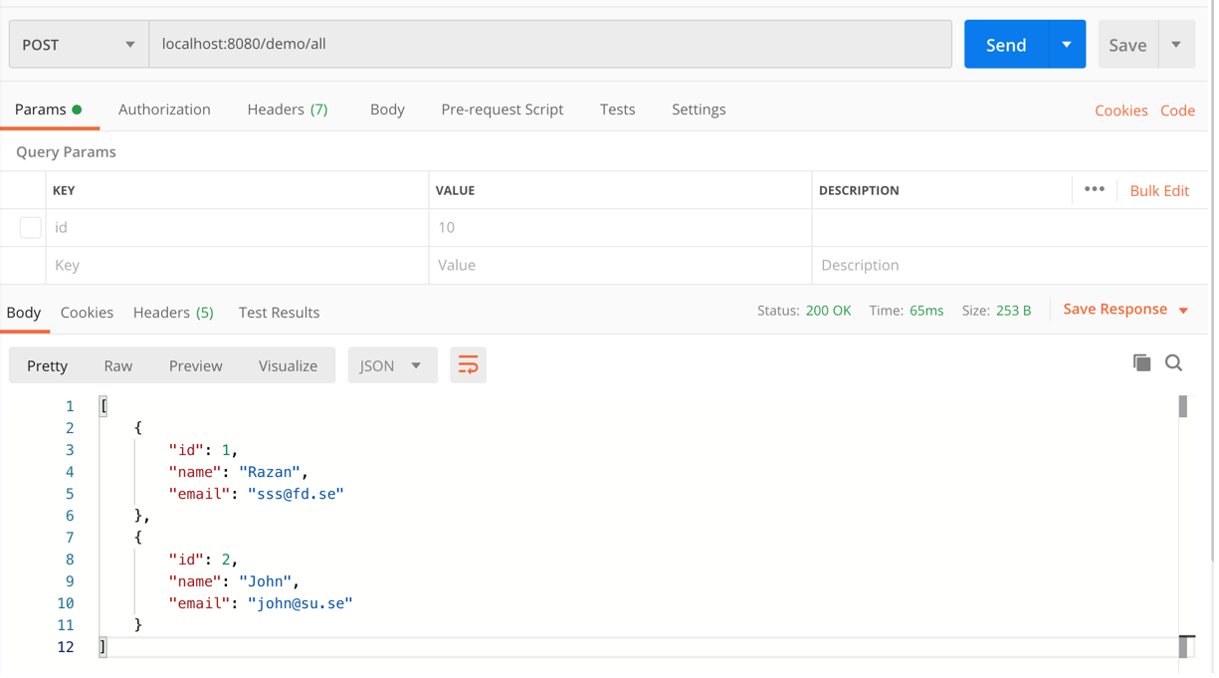
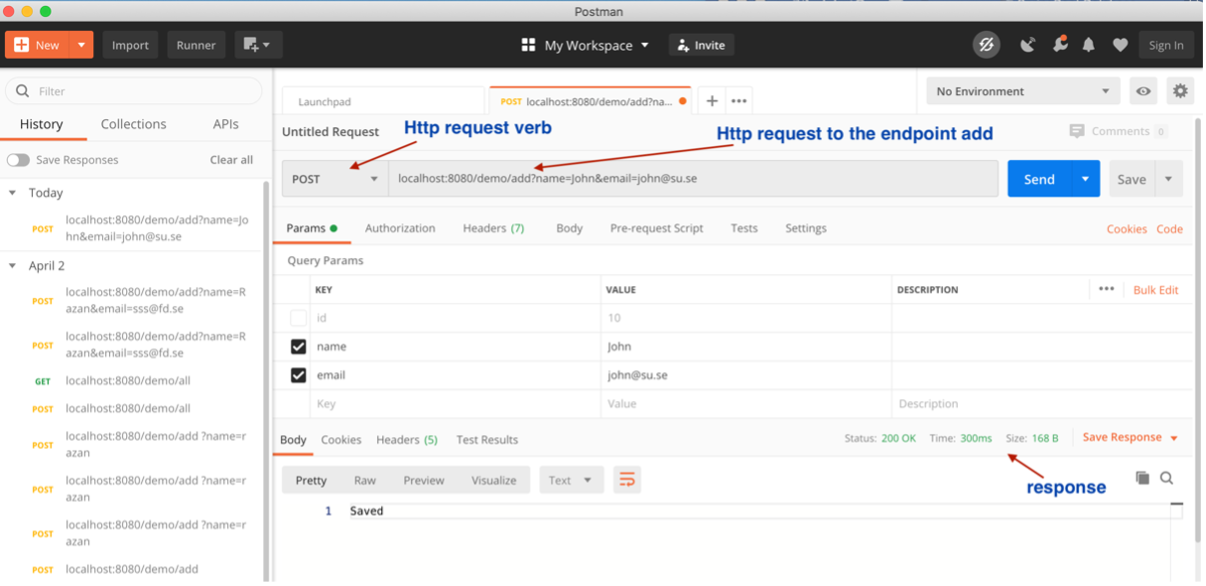
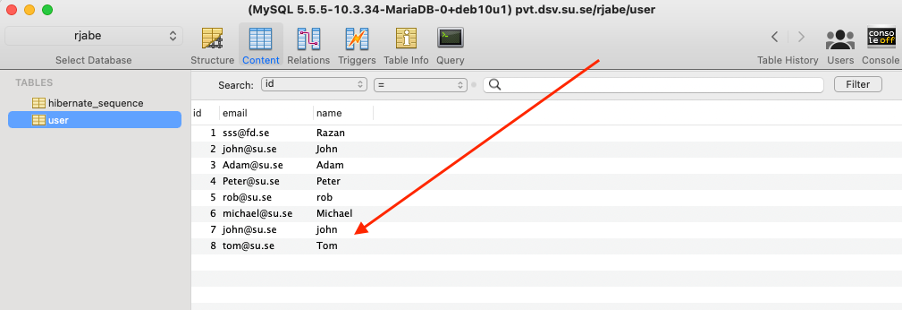
localhost:8080/demo/add?name=john&email=john@su.se
localhost:8080/demo/all