
The recommended toolchain for this course is:
These instructions are also available in video format: 
Once you have familiarized yourself a bit with Spring, you should set up version control. There are lots of options, but the recommended approach is to use Git and host your project at the DSV Gitea instance.
In order to be able to deploy your code using an external tool like Jenkins, you will need to create a local git repository, add your code to it, and regularly push the updates in your local repository to a server-based mirror that Jenkins can pull the code from.
In order to set up the remote mirror, start by logging in at Gitea. Once logged in, do the following:
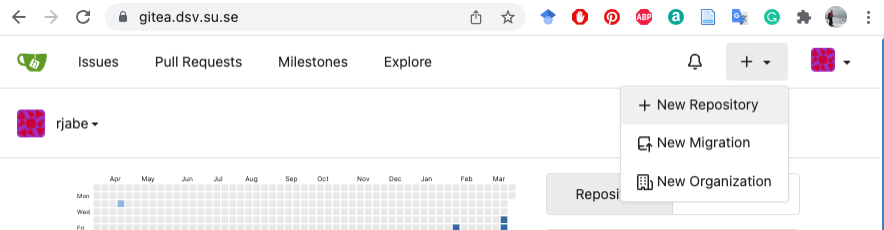
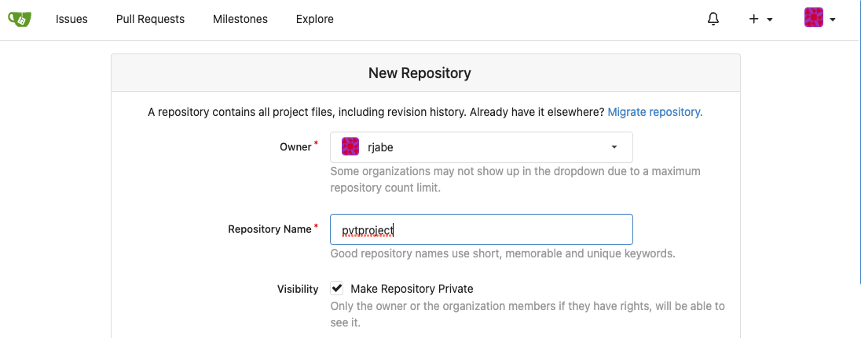

You now have an empty repository prepared on the server, where you will be pushing your code. Under the heading "Clone this repository" you should see the git URL to this repository. In order to minimize authentication-related confusion, you should always be using the "SSH" variant of the git URL.
Keep this page open, you will need the git URL later.
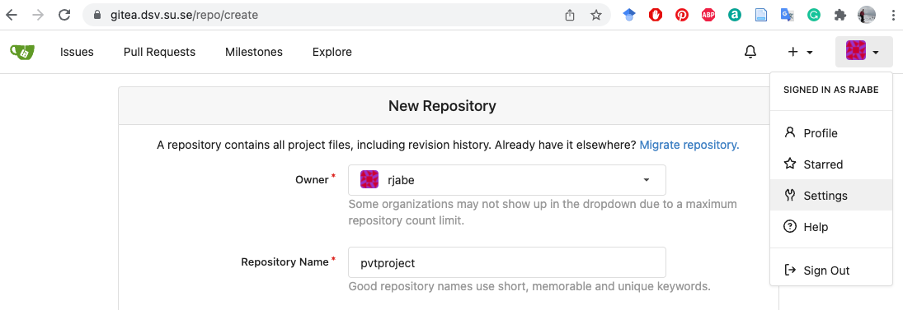
In order to push code from your computer to the gitea remote, you will need to configure public key authentication for gitea. If you don't already have a public key to use, you will need to create one now:
ssh-keygenNow you have a key pair that you can use for pushing your code. You now need to add the public part of that key to your gitea user.
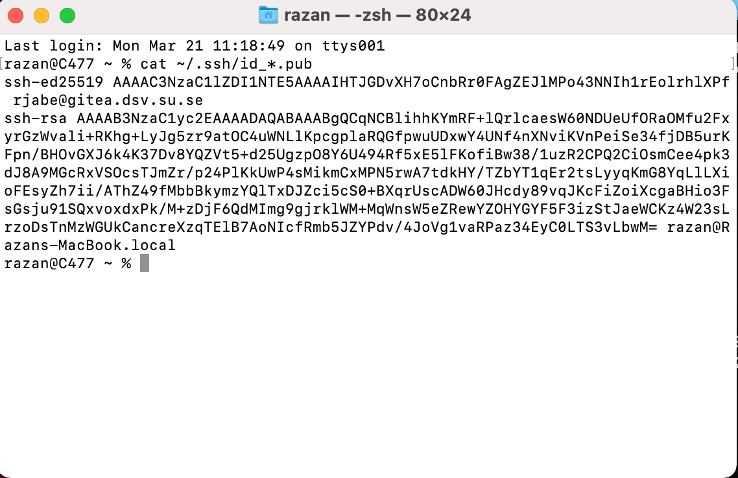
cat ~/.ssh/id_*.pub
in your terminal/git bash. A long string of alphanumeric characters should
be printed in the terminal. Keep the window around, you will need it later.

This is how to set up your repository using the command-line git tools:
git initgit remote add origin [your git URL]
git add .git commit -m "First commit"git push -u origin masterYour code should now be browseable in the gitea web UI.
The core git commands you will be needing when developing are:
git add [file] - Add a new file to be tracked by git, or
stage new changes to an already tracked filegit commit - Commit your currently staged changesgit push - Push local commits to the remotegit pull - Pull commits fro mthe remote to your local copygit status - View the current state of your repository;
both any local changes and how your local copy differs from the remoteYou will need to find out a number of things yourself in order for the group to be able to share a single repository with a reasonable workflow:
If you usually run your project in SpringBoot's embedded tomcat server,
your pom.xml will need to be updated to be buildable by
jenkins and produce a deployable artifact.
<packaging>war</packaging>
<dependency>
  <groupId>com.fasterxml.jackson.core</groupId>
  <artifactId>jackson-core</artifactId>
</dependency>
<build>
  ...
  <extensions>
    ...
    <extension>
      <groupId>ar.com.synergian</groupId>
      <artifactId>wagon-git</artifactId>
      <version>0.2.5</version>
    </extension>
  </extensions>
</build>
<repositories>
  <repository>
    <id>spring-releases</id>
    <url>https://repo.spring.io/libs-release</url>
  </repository>
</repositories>
<pluginRepositories>
  <pluginRepository>
    <id>spring-releases</id>
    <url>https://repo.spring.io/libs-release</url>
  </pluginRepository>
  <pluginRepository>
    <id>synergian-repo</id>
    <url>https://raw.github.com/synergian/wagon-git/releases</url>
  </pluginRepository>
</pluginRepositories>
<distributionManagement>
  <repository>
    <id>internal.repo</id>
    <name>Internal repo</name>
    <url>git@gitea.dsv.su.se/[auser]/[arepo].git</url>
  </repository>
</distributionManagement>
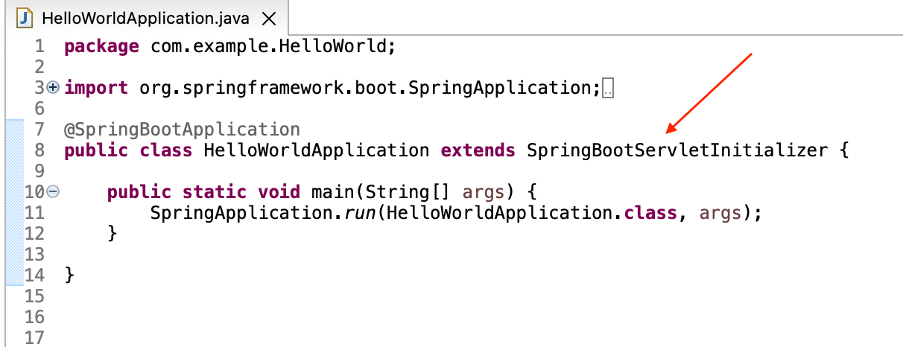
Now your pom.xml should be all set. The remaining thing
to be done is to modify your main application to extend
SpringBootServletInitializer:
Once these changes have all been made, commit and push your code to the remote as usual. Once the updates have been pushed to the remote, you should be able to build and deploy yor project using Jenkins.